Create the Perfect AI Movie Scenes.
Use Claude, Higgsfield, and Seedance 2.0 to generate cinematic AI movie scenes from a single reference clip. Free tools, stunning results.
You'll also receive my content strategy newsletter with more free breakdowns.
How to Create Cinematic AI Movie Scenes
Film a reference video as your foundation
Shoot a short clip that sets the tone for your movie scene. Keep your face clearly visible and the shot steady - this reference video is what the AI will build from. Good lighting and a clean background go a long way.
Go to Higgsfield and load Nano Banana 2.0
Head to Higgsfield and open their image generation model, Nano Banana 2.0. This is what we'll use to generate the photorealistic start frame for your movie scene.
Open Higgsfield→Describe your scene in Claude with a still from your video
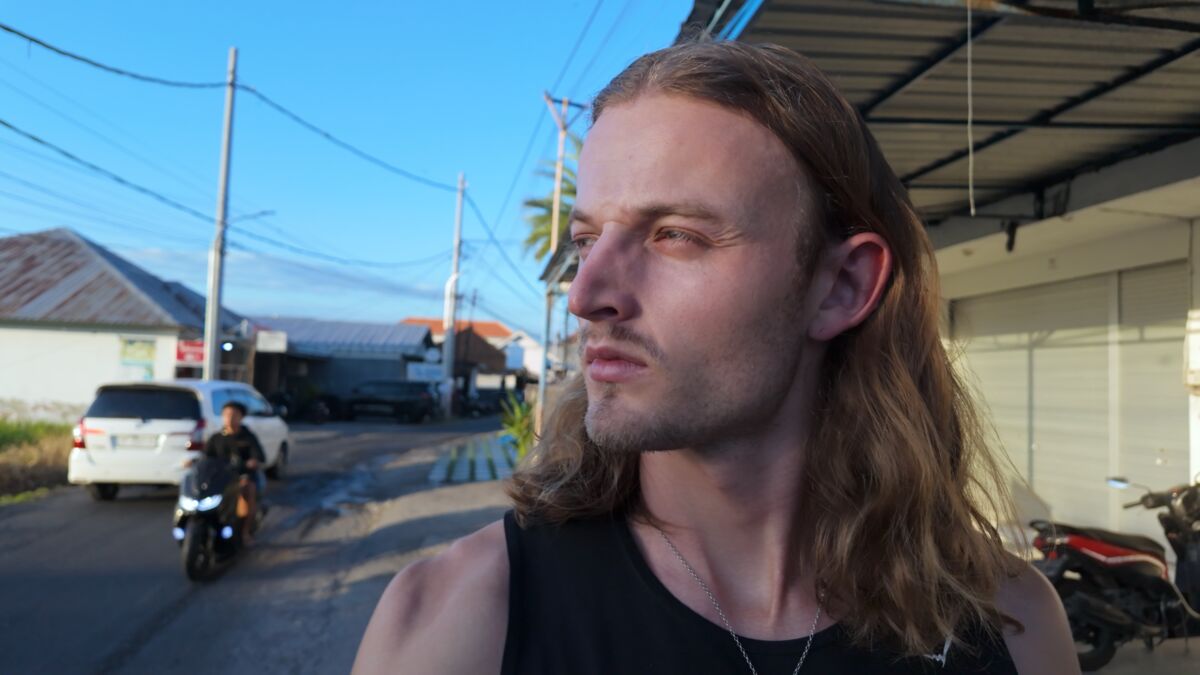
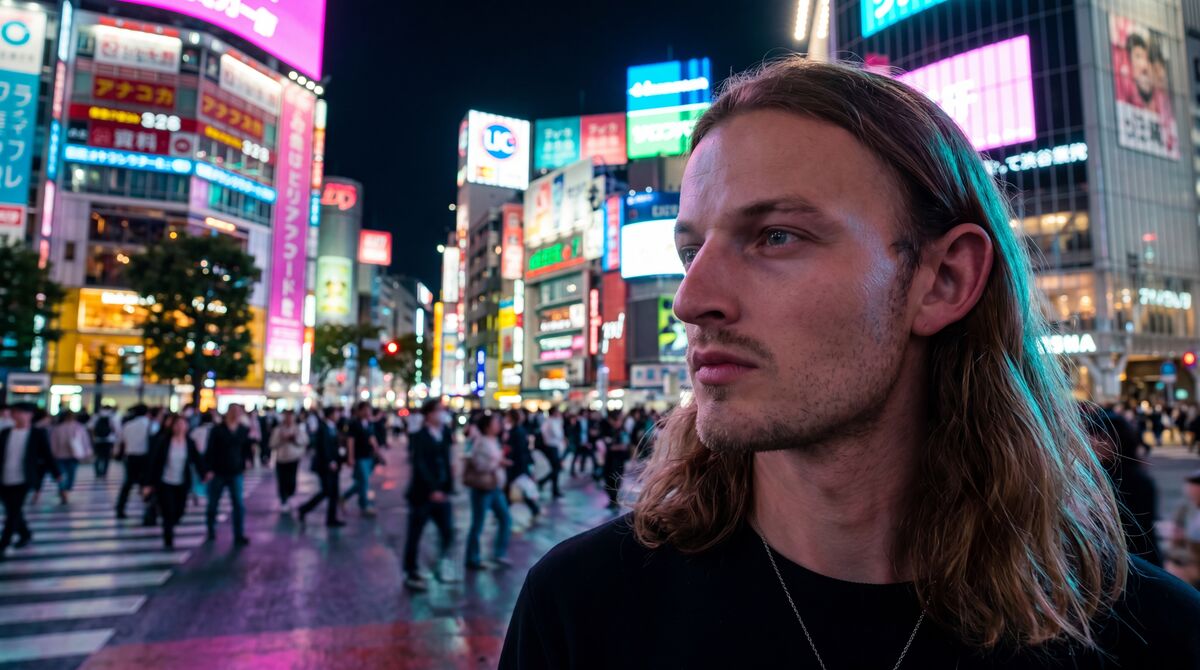
Take a screenshot or export a frame from your reference video where your face is clearly visible. Open Claude, attach the image, and describe in basic terms what you want the new scene to look like - e.g. 'a packed Tokyo street at night' or 'a glaringly bright beach at golden hour'. Claude will generate a detailed image prompt for you.
Generate your start frame in Higgsfield
Copy the prompt Claude generated and paste it into Higgsfield Nano Banana 2.0 along with the same still image. This generates a photorealistic start frame for your cinematic movie scene - your face in the new setting.
Generate your Seedance 2.0 video prompt
This is the crucial step. Seedance is incredibly powerful but needs detailed prompts to shine. Use Rourke Heath's Claude video prompt skill (linked below) to generate the perfect Seedance 2.0 prompt. Tell it how long you want your video, how many scenes, and how long each scene should be - or let it decide for you. Note: longer generations may reduce continuity in results.
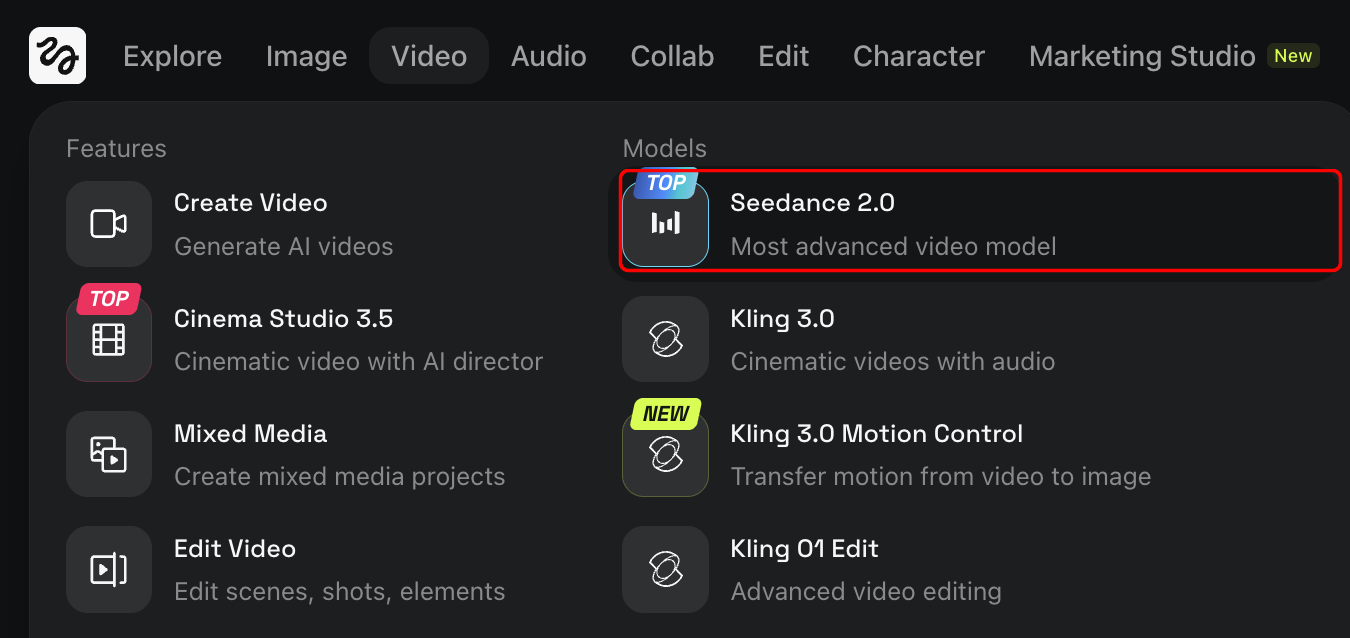
Get Rourke's Claude video prompt skill→Load your start frame and prompt into Seedance
Paste the generated image from Higgsfield as your start frame (you can also connect it directly within Higgsfield by clicking on your photo generation). Then paste the Seedance prompt that Claude generated using Rourke's skill.
Generate your video and enjoy
Hit generate, wait about 3-4 minutes, and you'll have a cinematic AI movie scene ready to drop into your edit. Experiment with different scene descriptions and prompt lengths to find your style.
What's inside
- Generate a photorealistic start frame from any reference video
- Use Claude to craft the perfect Seedance 2.0 prompt
- Full workflow from reference clip to cinematic AI movie scene