The Open-Source Higgsfield Killer.
200+ AI models. One API key. Image, video, lip sync - all in one open-source studio. Self-host it or run it in your browser in under 5 minutes.
You'll also receive my content strategy newsletter with more free breakdowns.
How to Set Up Open Generative AI + muapi
Open the hosted studio in your browser
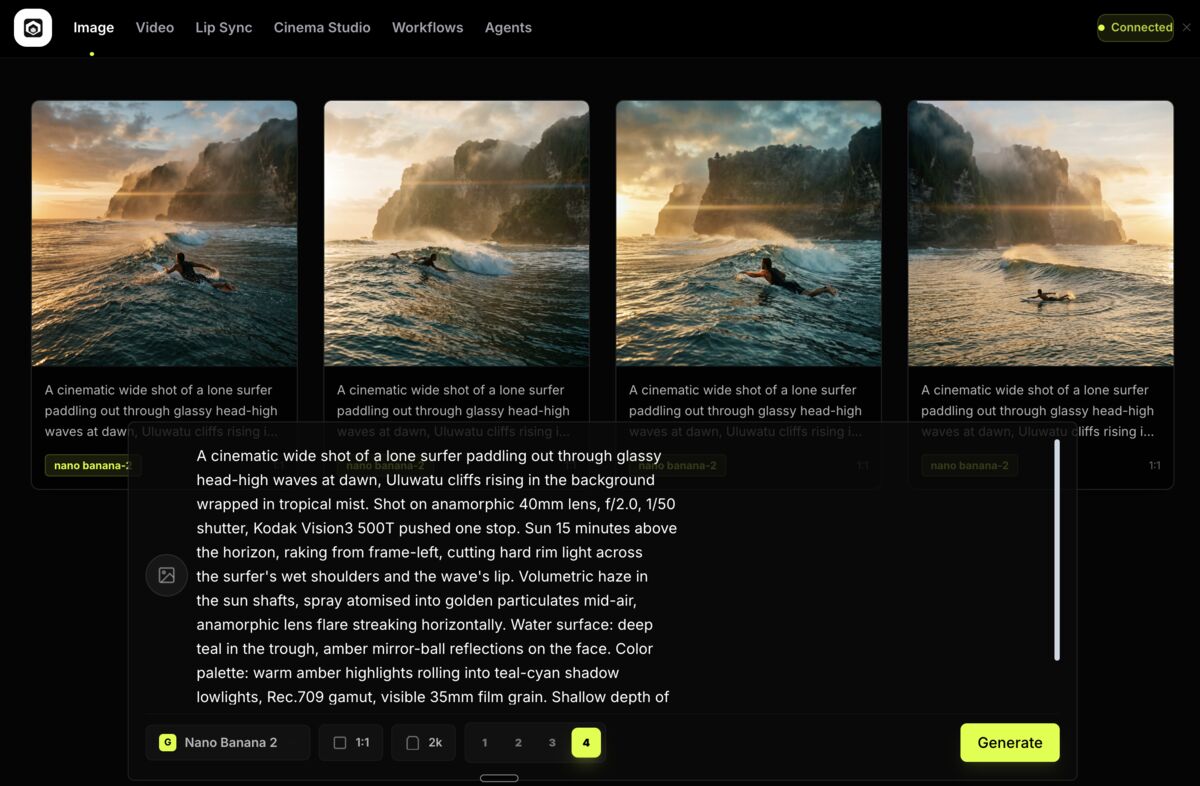
The full studio loads in your browser - no install, no command line. Four modes to play with: Image, Video, Lip Sync, and Cinema Studio. Clean interface, everything where you would expect.
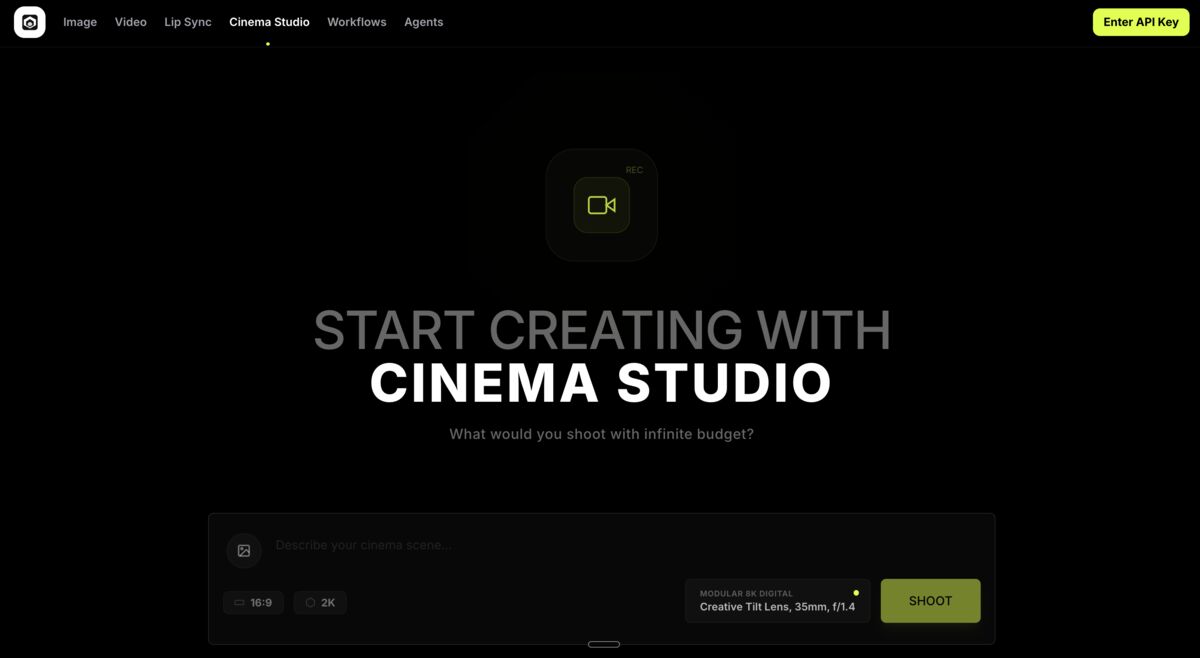 Open the studio→
Sign up for a muapi account
muapi is the cloud gateway that powers all 200+ cloud models. Head to muapi.ai and create an account - takes 30 seconds.
Create muapi account→Create and copy your API key
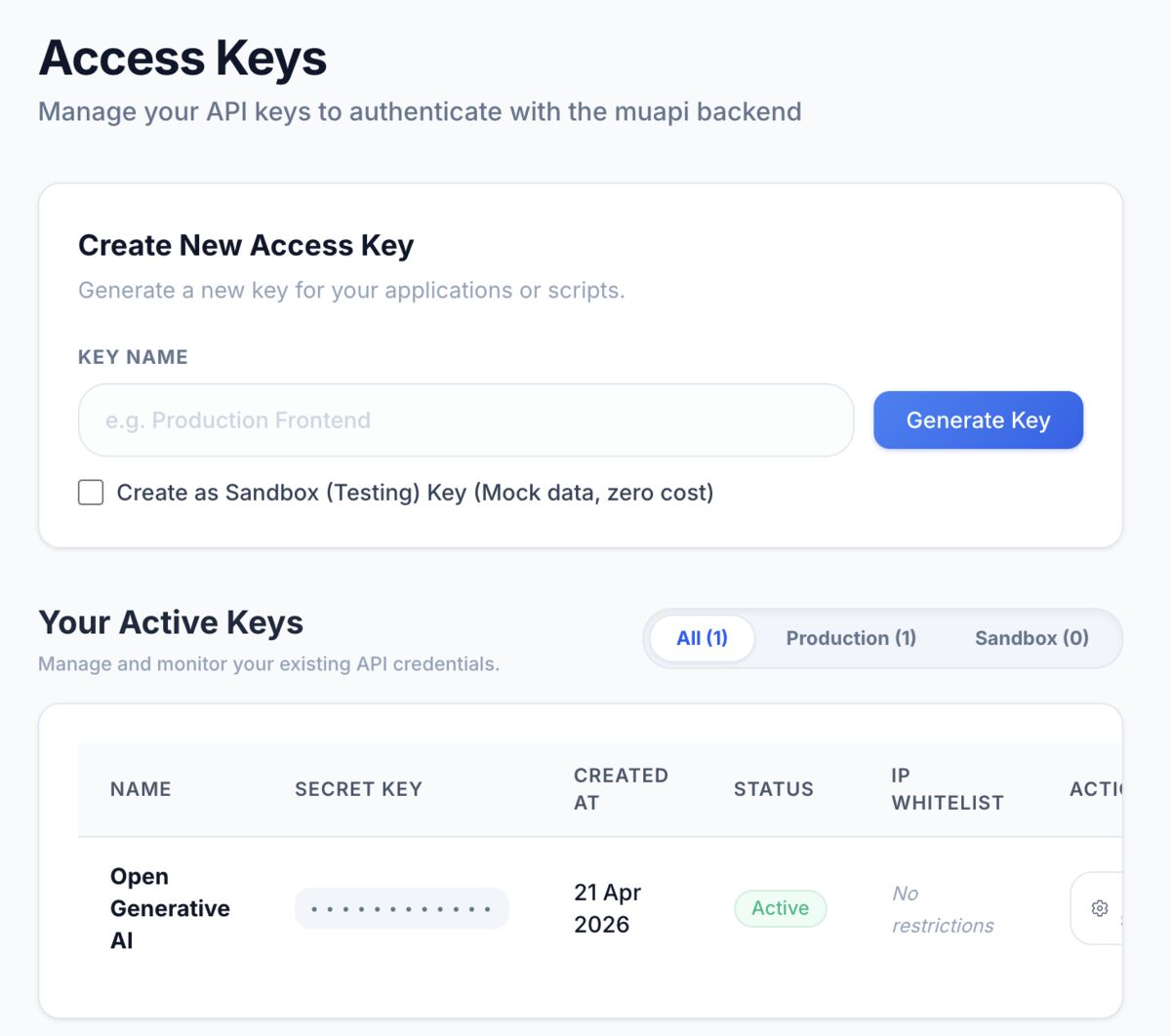
In your muapi dashboard, open the Access Keys section. Give your key a name (something like 'Open Generative AI'), hit Generate Key, and copy it immediately - you only see it once. Treat it like a password.
Paste your API key into the studio
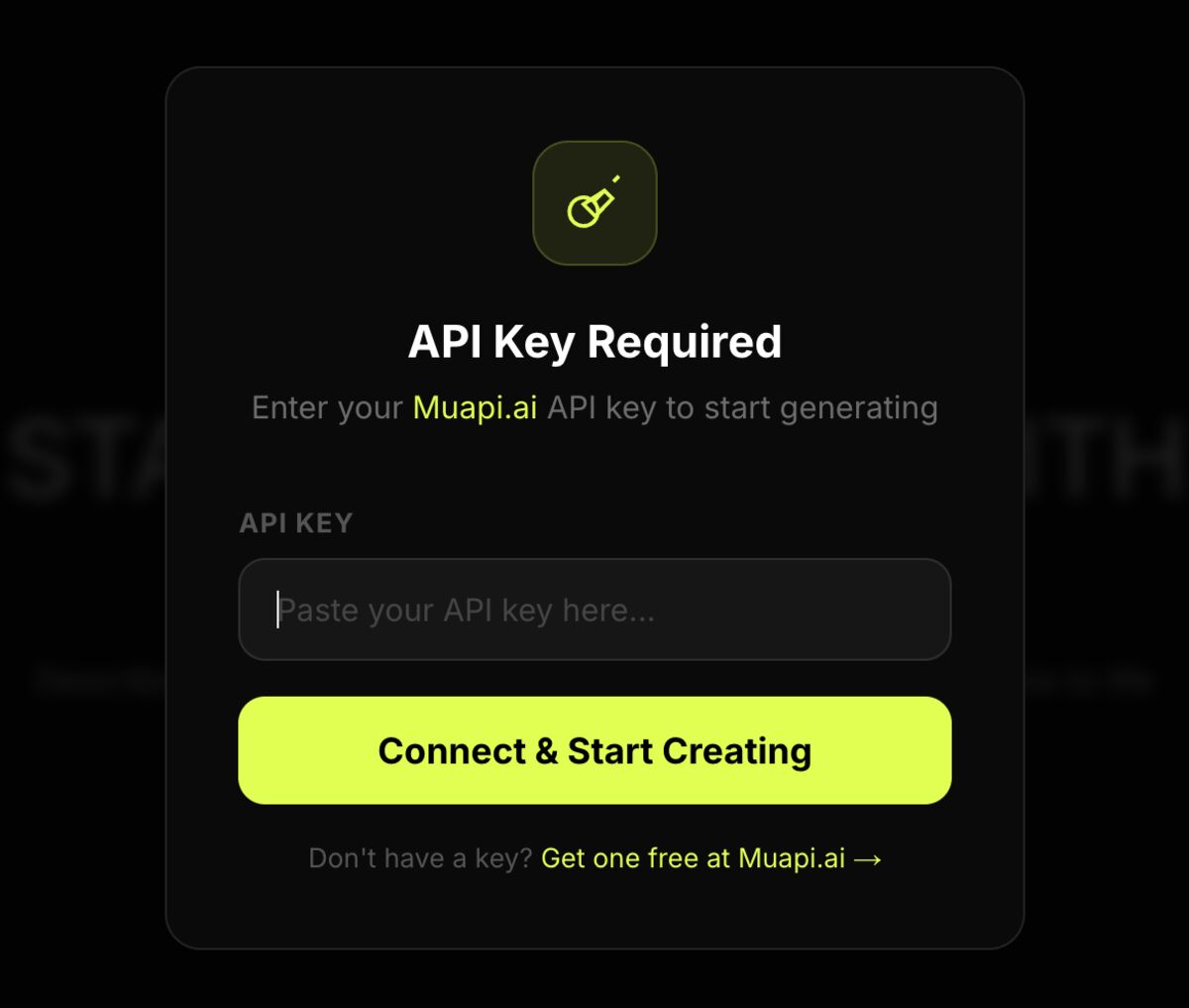
The first time you open the studio, it will prompt you for your API key. Paste in the key you just copied and hit Connect & Start Creating - that unlocks all 200+ cloud models in one go.
Pick your model and studio mode
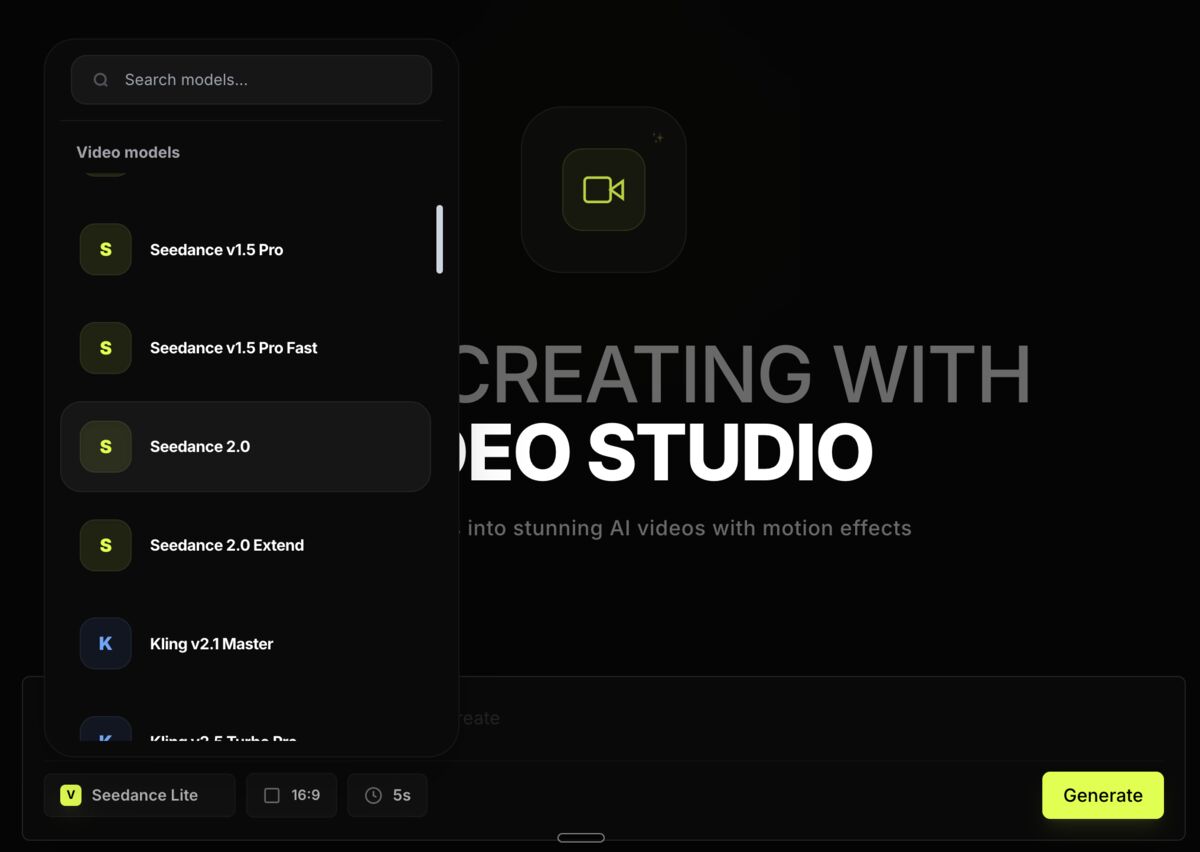
Choose from four studios: Image, Video, Lip Sync, or Cinema. Inside each, pick the model that fits the job - Flux or Nano Banana for images, Seedance 2.0 or Kling for video, Sora for realism. Swap between models freely.
Generate your first image or video
Write your prompt, upload a reference if the model supports it (up to 14 reference images on compatible models), and hit generate. Same workflow you already know from Higgsfield - just with more model choices and no content filters.
Optional - self-host or plug into your existing tools
Want full ownership? Clone the open-source repo - MIT licensed. The desktop app ships with a local engine (stable-diffusion.cpp) for offline image generation with no API key at all. For power users, muapi also has a ComfyUI integration, a CLI, and an MCP server - drop it into whatever you already use.
Get the open-source repo→Check model prices before you run big jobs
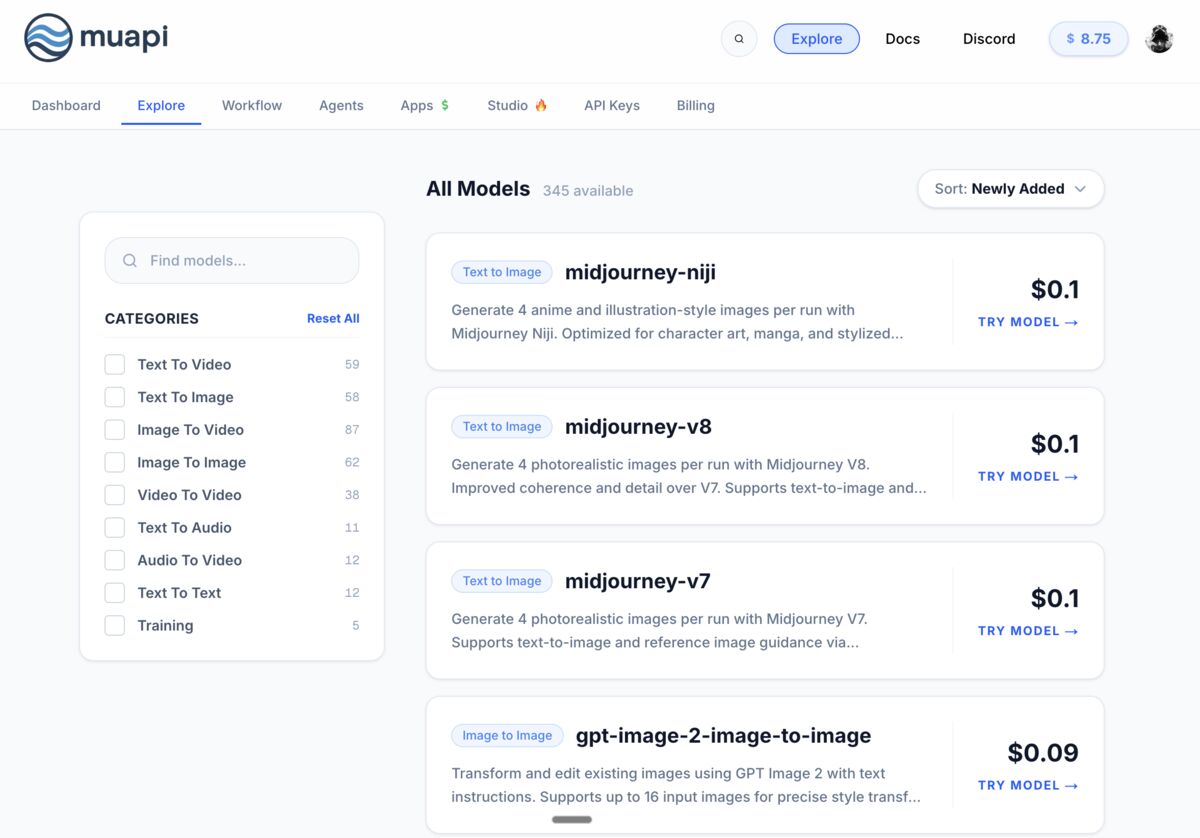
Every model is pay-as-you-go; no subscription, you only pay for what you generate. Expect a couple of cents per image and up to a couple of dollars per video for the heavy models like Seedance 2.0. All prices are listed right on the muapi model explorer.
 See all model prices→